More Confidence, Less Anxiety with Work Planner
Work Planner, a bundle extension of Predictor. Complicated infrastructure planning data transformed into a cost and time-saving tool, reducing departmental communication stress by up to 40%.
Brightly is now Siemens. The company behind this platform (Dude Solutions → Brightly) was acquired by Siemens. read the announcement ↗
Impact
Measurable time and resource savings across planning teams
40%
Decrease in time spent contacting other departments
50%
Time savings from integrated budgeting information
70%
Resource savings through streamlined planning workflows
Background
What is Work Planner?
Work Planner is a module within the Predictor platform that enables infrastructure planners to bundle projects using GIS data across multiple funding sources. It helps government and transit organisations coordinate multi-year capital works programs, consolidating scheduling, budgeting, and departmental coordination into a single platform.
The company (Dude Solutions, later rebranded to Brightly in March 2022) needed to move this capability from a legacy desktop ESRI application to a modern, flexible SaaS product accessible to all stakeholders.
Clients
Serving 15+ government and transit organisations
Work Planner was built for a diverse portfolio of public sector clients across Australia, North America, and beyond, each managing complex multi-year infrastructure programs with distinct funding structures, departmental workflows, and compliance requirements.
- Australian Antarctic Division
- City of Vancouver
- New York City MTA
- Metro Trains Melbourne
- Sydney Trains
- Toronto Zoo
- Chicago Housing Authority
- City of Adelaide
- And 10+ additional government and transit organisations
The Problem
Fragmented systems creating compounding friction
Infrastructure planning organisations were managing complex, multi-year capital works programs across spreadsheets, GIS tools, and generic project management software. The result: constant manual coordination between departments, duplicated effort, and stressful communication overhead.
Manual Conflict Detection
Departments had to manually check for schedule and resource conflicts with other teams' projects. It was a time-consuming, error-prone process repeated constantly across the planning cycle.
Tool Fragmentation
Planners worked across spreadsheets, GIS tools, and generic software. None designed for multi-year capital planning. Data lived in silos, making consolidated views impossible without manual assembly.
Funding Complexity
Verifying funding availability across multiple sources was tedious and error-prone. Projects were delayed or incorrectly scoped due to incomplete budget visibility.
Desktop Limitations
The legacy ESRI platform was desktop-only, inaccessible for field teams, remote stakeholders, and multi-location organisations. Collaboration was physically constrained.
Goals
Three objectives driving the redesign
- Move out from the desktop. Build a web-first SaaS platform accessible to all stakeholders regardless of location or device
- Remove obstacles through integration. Consolidate scheduling, budgeting, GIS data, and departmental workflows into a single cohesive tool
- Eliminate departmental roadblocks. Surface conflicts proactively and enable informed coordination without manual overhead
My Role
End-to-end design leadership through the pandemic
I led the design of Work Planner from discovery through to launch, collaborating with two other designers, two product managers, subject matter experts, consultants, and key client stakeholders. The project ran during the COVID-19 pandemic, requiring entirely distributed collaboration across multiple time zones.
Design Process
From chaos to clarity: a phased design approach
Collecting Ideas & Feedback
The early phase involved gathering inspiration and requirements from multiple channels over weeks: client interviews, industry research, and stakeholder workshops to build a comprehensive picture of user needs.
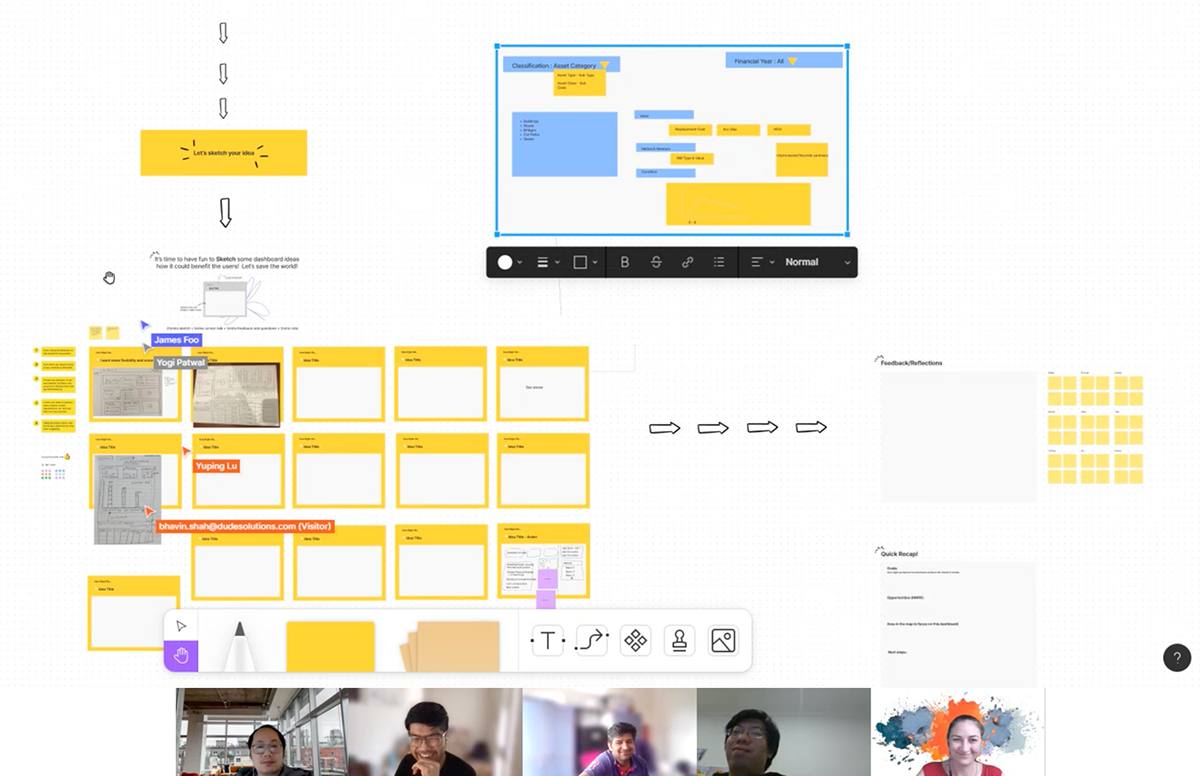
Discovery phase: mapping user flows and identifying key pain points
Design Discovery & Design Sprint
Conducted via FigJam with cross-functional teams. Objective: gain a shared understanding of the work order flow and identify the most impactful design opportunities. The sprint produced simplified card-based layouts displaying yearly timelines with digestible data, a significant departure from the dense tables of the legacy system.
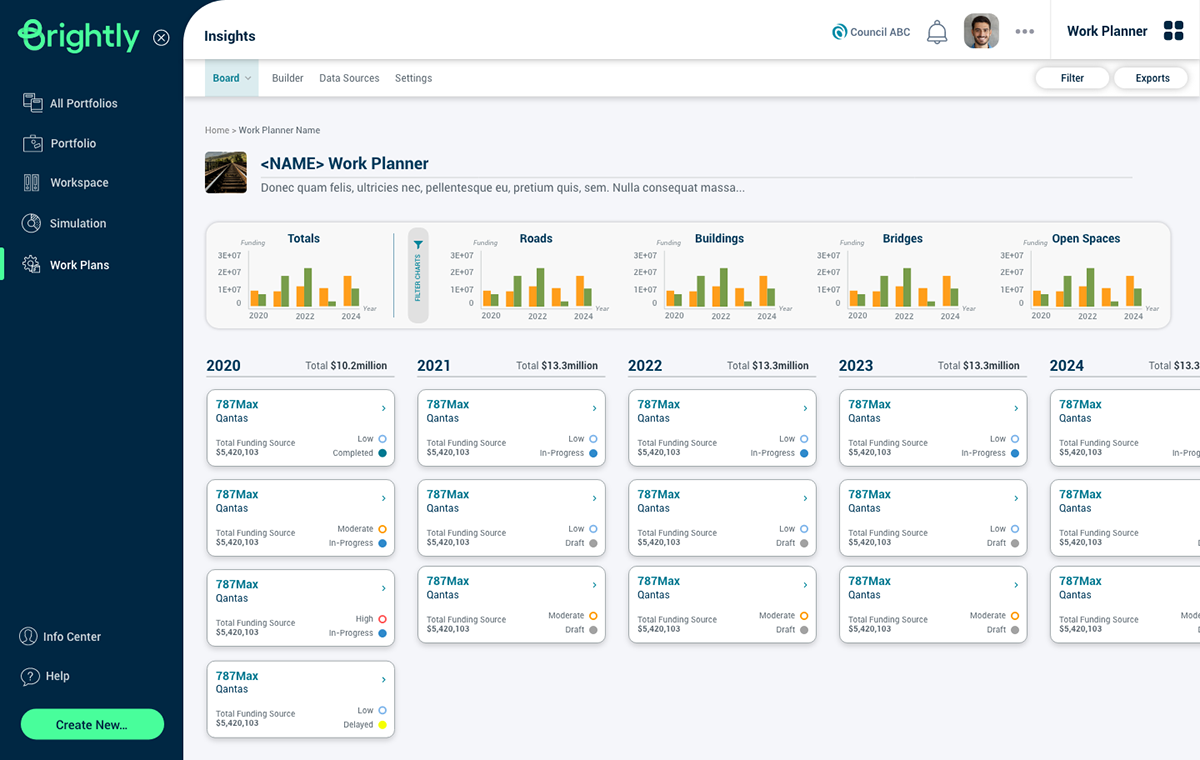
Design sprint: card-based timeline layouts surfaced as the key interaction model
Research Phase
Client interviews were paired with UI inspiration research (Dribbble, Behance, Smashing Magazine) to build a visual language that felt professional and modern while meeting the functional complexity of infrastructure planning.
"95% of our user interviews show that workers and work administrators often need to contact other departments to avoid clashes with work schedules."
Design & Test
Iterating from sketches to high-fidelity prototypes
Low-Fidelity Phase
Early sketches on digital whiteboards and paper validated core concepts before investing in detailed design. Testing continued until reaching an 80% satisfaction threshold across user sessions.
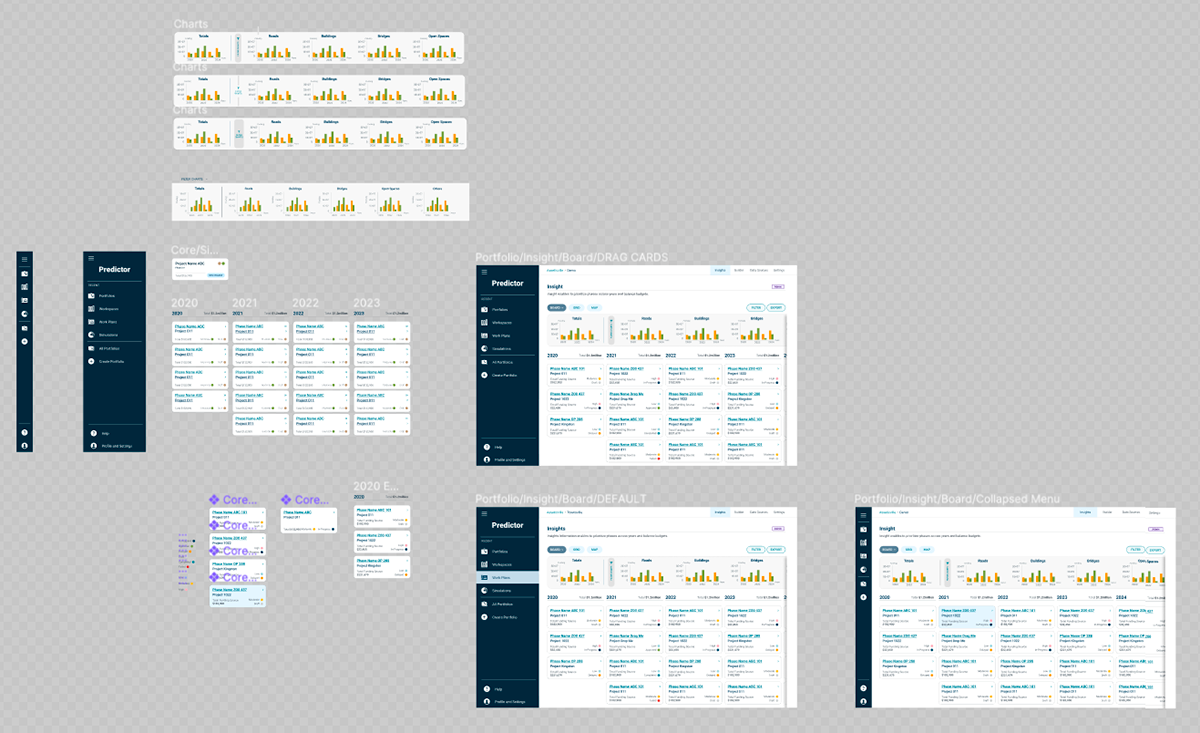
Low-fidelity wireframes: validating core layout and navigation concepts
Iterating on information density and the project bundling interaction
High-Fidelity Phase
Interactive Figma prototypes were used for deeper usability testing with selected clients and key users. Sessions combined task observation with brief interviews to gather qualitative feedback on specific interactions.
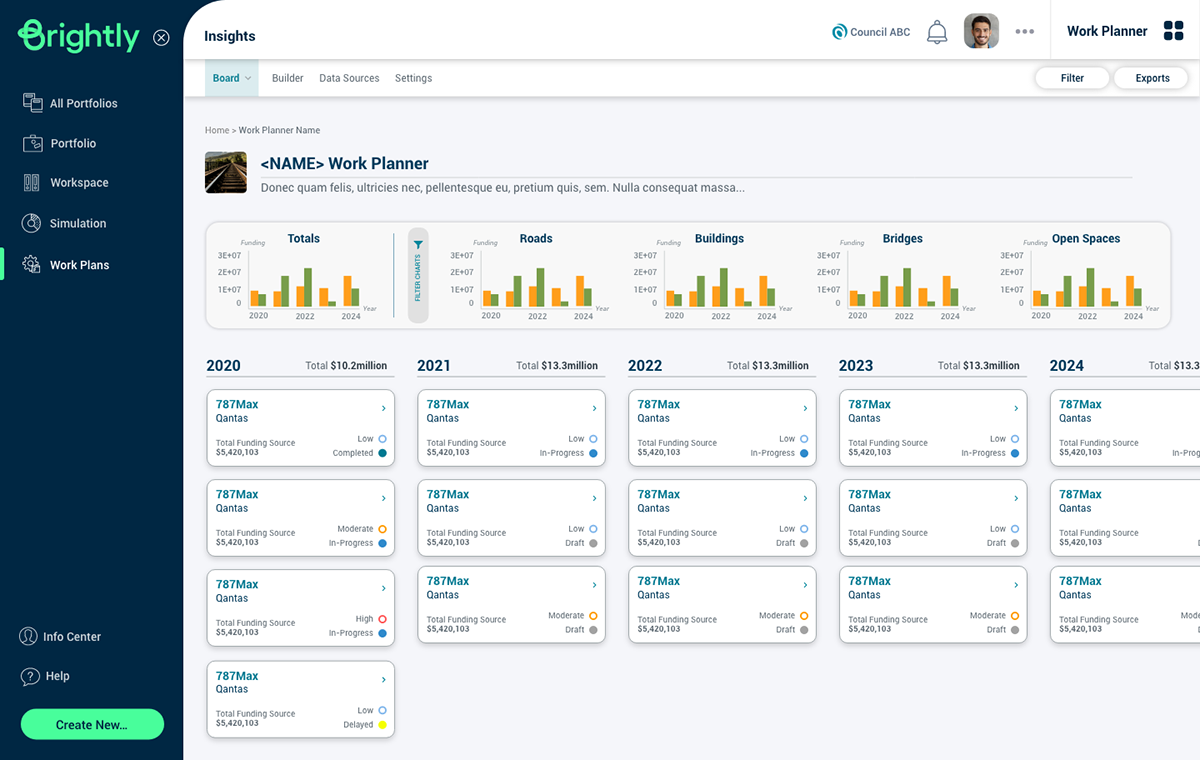
High-fidelity prototype: the Work Planner timeline view with project bundling
The Solution
Two core design solutions that changed how teams plan
Navigation Redesign
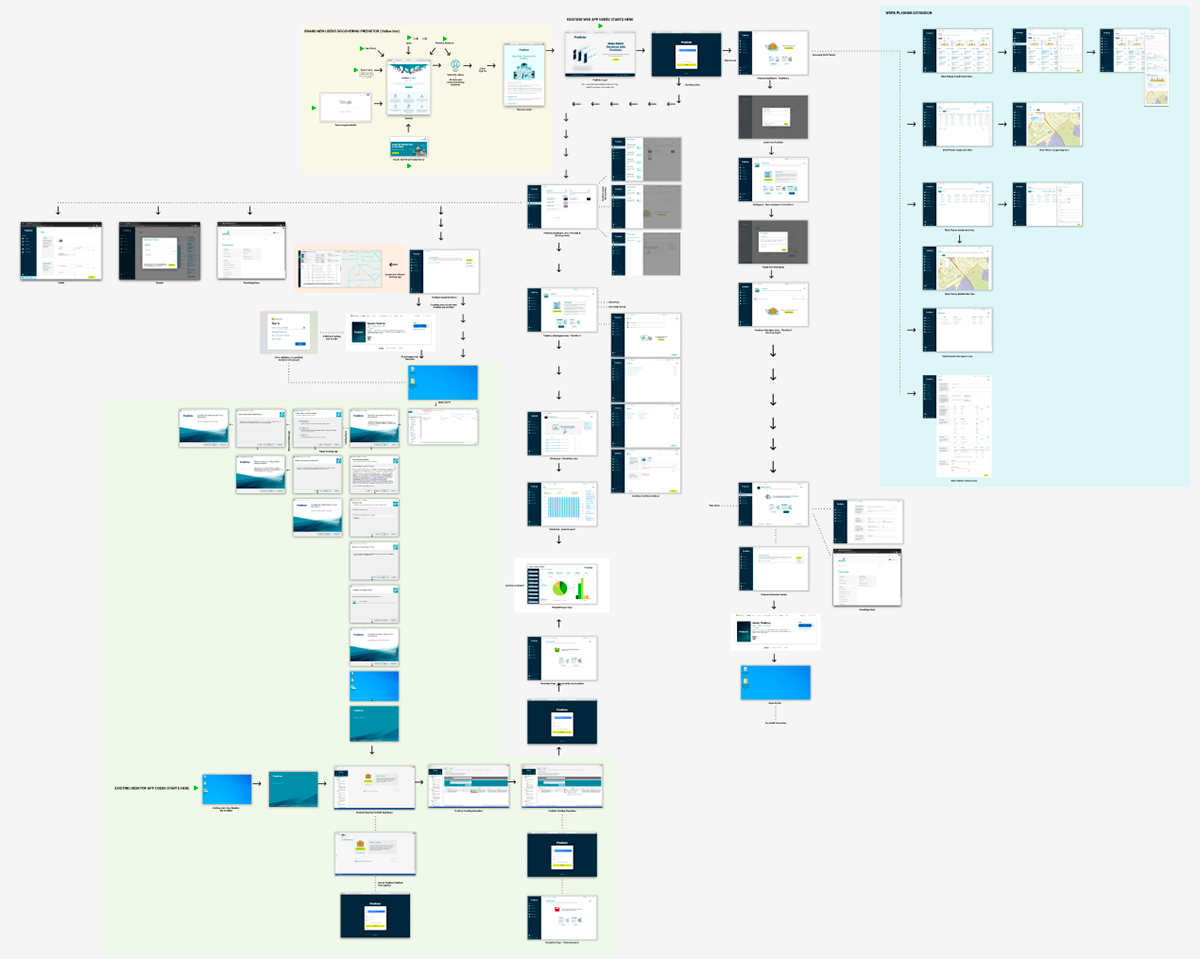
Grouped Predictor's features into a logical, folder-level navigation structure. The restructuring achieved three outcomes: reframed user perception of the platform as a unified tool (not a collection of apps), reduced choice paralysis when navigating between planning modes, and created a scalable architecture for future features.
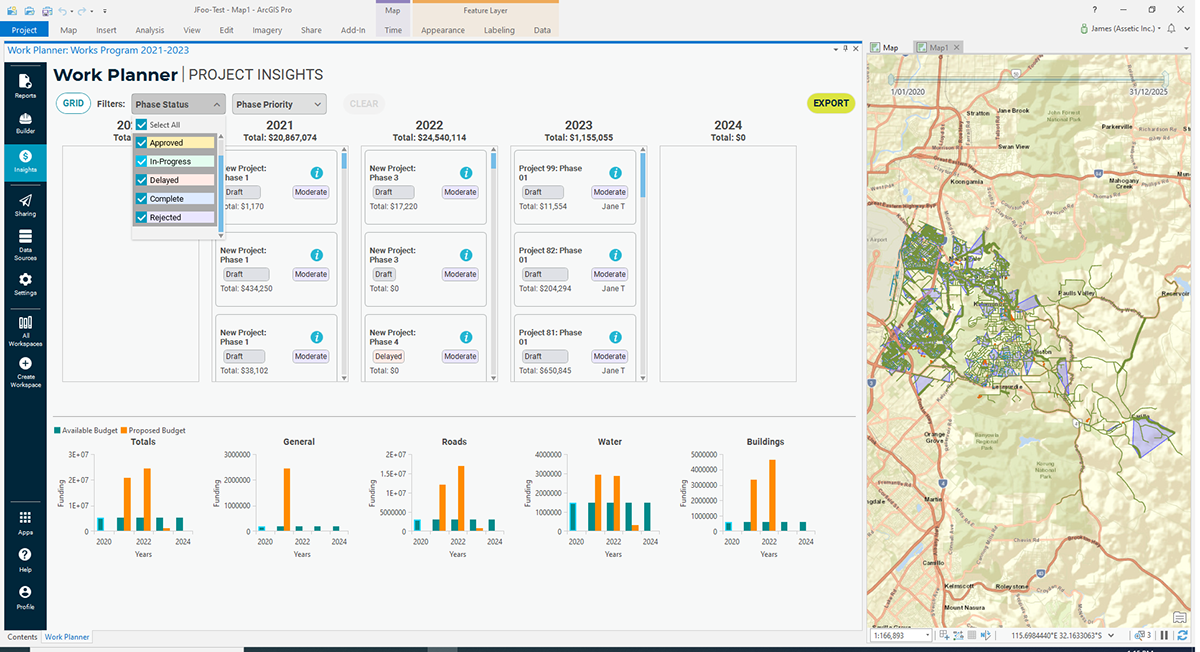
Navigation redesign: from fragmented feature list to cohesive platform structure
Departmental Communication
Warning notifications for schedule conflicts, sync messaging across departments and teams, and an informed decision-making interface that surfaces the right information at the right moment. The goal: eliminate the reactive "contacting other departments" cycle that consumed 95% of planners' time.
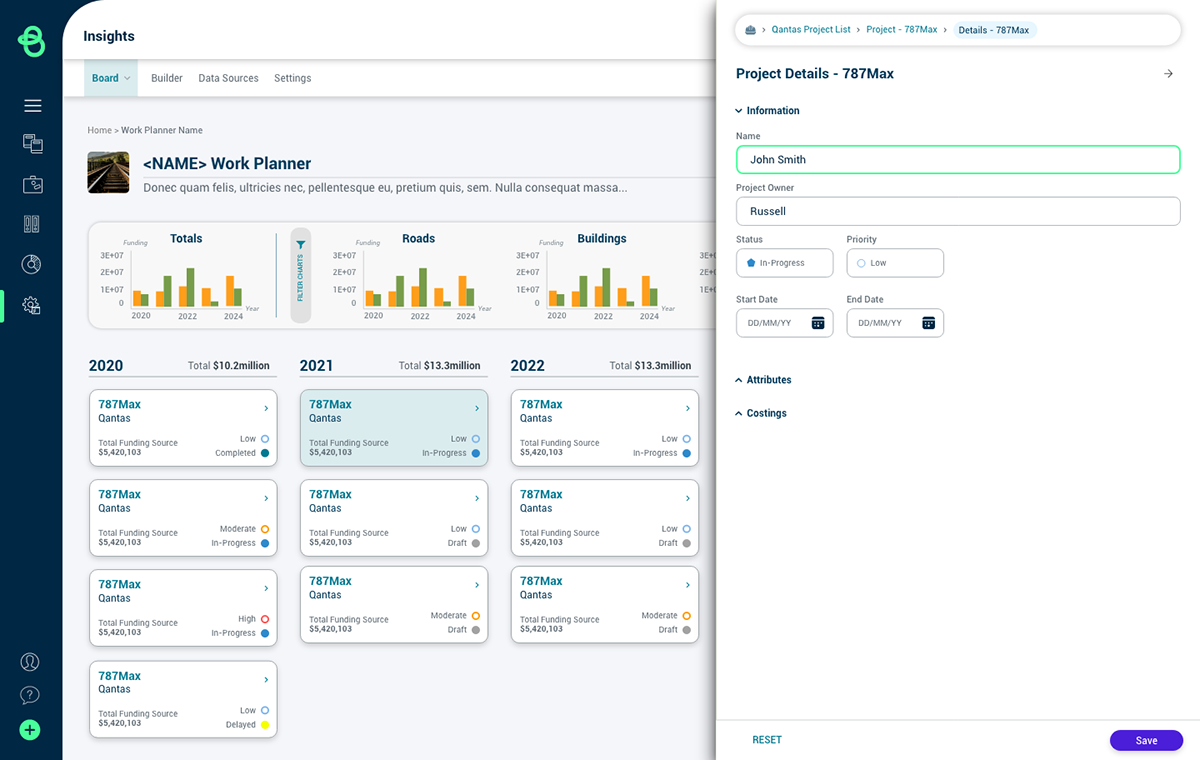
Conflict detection: proactive warnings replace reactive inter-departmental calls
Impact
Measurable time and resource savings across planning teams
40%
Decrease in time spent contacting other departments
50%
Time savings from integrated budgeting information
70%
Resource savings through streamlined planning workflows
Beyond the quantitative metrics, Work Planner eliminated the need to interrupt communities twice during construction planning, improved cross-departmental trust through transparent scheduling visibility, and transformed infrastructure planning from a high-stress coordination exercise into a confident, data-driven process.
